
Hello friends!
In today’s digital age, we all need to reduce the size of image files at some point. Whether it’s sharing photos on WhatsApp, sending documents via email, uploading images to a website or blog, or posting on social media platforms like Instagram, Facebook, and Twitter. Large image files are a hassle – they take up space, take time to share, and sometimes even slow down website speed. So today, we’ll tell you how to reduce image file size, specifically how to reduce JPEG files. This guide is completely easy and simple in Hindi, so everyone can easily understand it.
Why is it important to reduce image size?
First, let’s understand why we need to reduce image size:
- Faster sharing: Smaller files upload and download faster.
- Storage space savings: You’ll save more space on your phone, computer, or cloud storage.
- Website speed: Smaller images on a website or blog speed up page loading, which improves visitor experience and also benefits SEO (search engine optimization).
- Platform limitations: Many social media platforms and messaging apps impose file size limits.
Basic ways to reduce image size
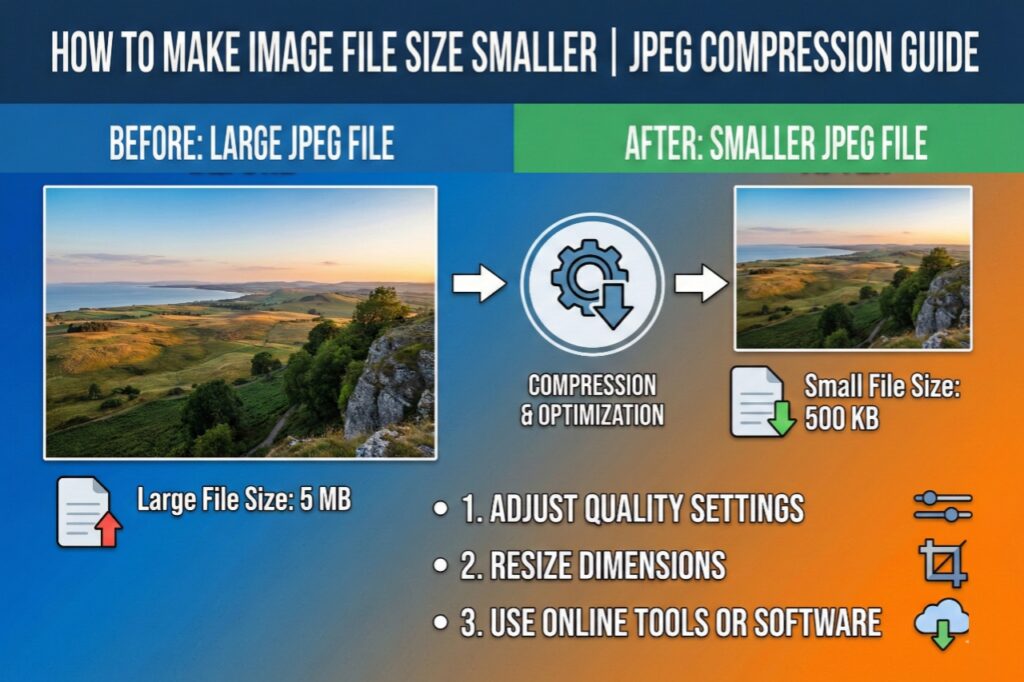
“How to make a JPEG file smaller?” – The answer to this question lies in a few simple steps. JPEG (or JPG) is the most common image format. There are several ways to reduce it:

- Reduce image resolution:
Resolution means the number of pixels in an image. Higher resolution means clearer and more detailed images, but also larger size. 72 DPI (dots per inch) is generally sufficient for online use, while 300 DPI is required for print. Lowering the resolution reduces file size significantly.
- Reduce Image Dimensions (Canvas Size):
If your image is 4000×3000 pixels, but you only need 1200×900 pixels for a social media post, reduce the width and height of the image. This will significantly reduce the size.
- Adjust Quality Settings:
When saving JPEG files, you get a quality option, which typically ranges from 1 to 100. 100 is the best quality, but also the largest size. Saving at 60-85% quality is a good balance for online use. By sacrificing a little quality, you can significantly reduce the size.
- Check the File Format:
PNG files are often larger than JPEG files. If transparency is not essential in the image, converting PNG to JPEG will reduce the size.
How to use free online tools?
Now the question is, how do you do all this? You don’t need to learn expensive software like Photoshop. There are many easy and free online tools available. Using them is very simple – you just need to upload your image, adjust the settings (or choose the automatic option), and download the new compressed image.
picsizereducer.com – A great free website
One useful and reliable website is picsizereducer.com. As the name suggests, this website is designed specifically for reducing the size of your pictures. You can make your work easier by using its tools for free.
Features and how to use picsizereducer.com:
- Compress: Here you can reduce the size of images in JPEG, PNG, GIF, and WebP formats.
- Resize: You can adjust the width and height of the image to suit your needs.
- Convert: You can convert images from one format to another, such as PNG to JPEG.
- How easy it is to use:
· First, visit the website picsizereducer.com.
· Upload your image by clicking the “Select Images” button or dragging and dropping it.
· You’ll be presented with a selection of compression settings. You can use the default settings or adjust them manually.
· Then, click the “Compress Images,” “Resize Images,” or “Convert Images” button.
· In just a few seconds, your optimized image will be ready, which you can download.
This way, without any technical knowledge, you can simplify your work with a tool like picsizereducer.com.
Other Platforms and Tools for Reducing Image Size
Besides picsizereducer.com, there are many other platforms that offer this service for free or with limited benefits. You can use any of these based on your convenience:
- Adobe Express (formerly Adobe Spark): This is a professional tool that offers free image resizing and optimization.
- Canva: Canva, a popular graphic design tool, also allows you to upload and reduce the size of an image. It also offers pre-set sizes for social media posts, blog images, and more. Clicking on these resizes your image.
- TinyPNG / TinyJPG: This is a very popular website that uses smart compression technology to compress PNG and JPEG files. It works quite well without much loss in quality.
- Compressor.io: Another excellent online compressor that reduces the size of JPEG, PNG, GIF, SVG, and WebP files.
- Mobile Apps: If you work mostly on your phone, search for “Photo Compressor,” “Image Size,” “Reduce Photo Size,” etc. on the Play Store (Android) or App Store (iOS). You’ll find many free and good apps.
Conclusion :
So friends, I hope this article has given you complete information about “how do I make an image file size smaller” and “how to make a JPEG file smaller.” Remember, shrinking large image files isn’t rocket science. With a little knowledge and the right tools, you can do it in seconds. Websites like picsizereducer.com and the other platforms mentioned above will be very helpful.
The next time you need to send a photo on WhatsApp, prepare an image for a blog, or reduce the size of an email attachment, be sure to try these easy methods. Save precious storage space and speed up your website or social media.
I hope this information is useful! Happy Image File Size Smaller!